
Features
Waypoints
In testing. It arrives in a coming update, from version 0.7.294.
Mark the places that matter on a ride: a steep climb, a water crossing, a place to charge. Tap any route or waypoint on the map to see what it is.
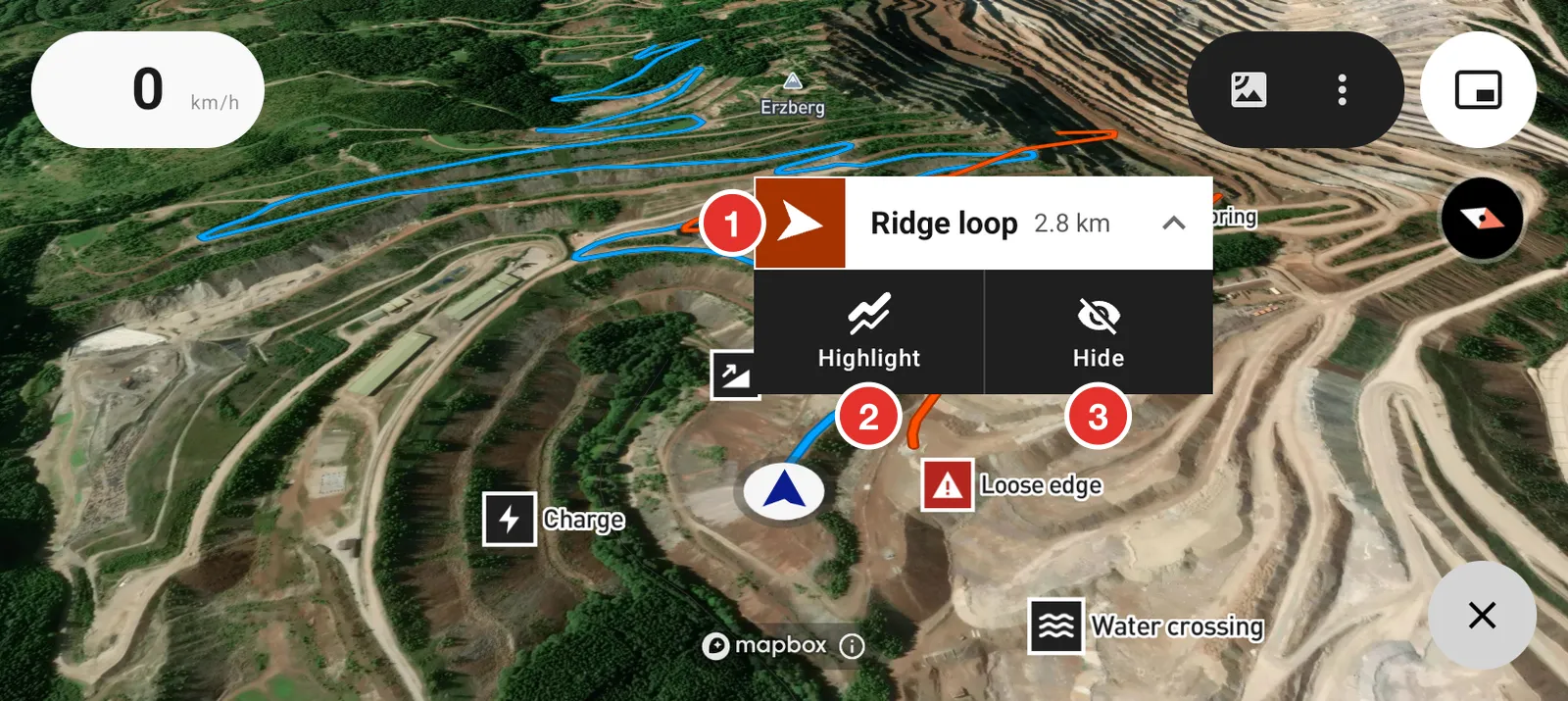
- Tap a route to see its name and length.
- Highlight puts the route on top and fades the others. It shows when two or more routes are on the map.
- Hide takes the route off the map. Tap Undo if you change your mind.
Add a waypoint
Hold your finger on the map where the place is.
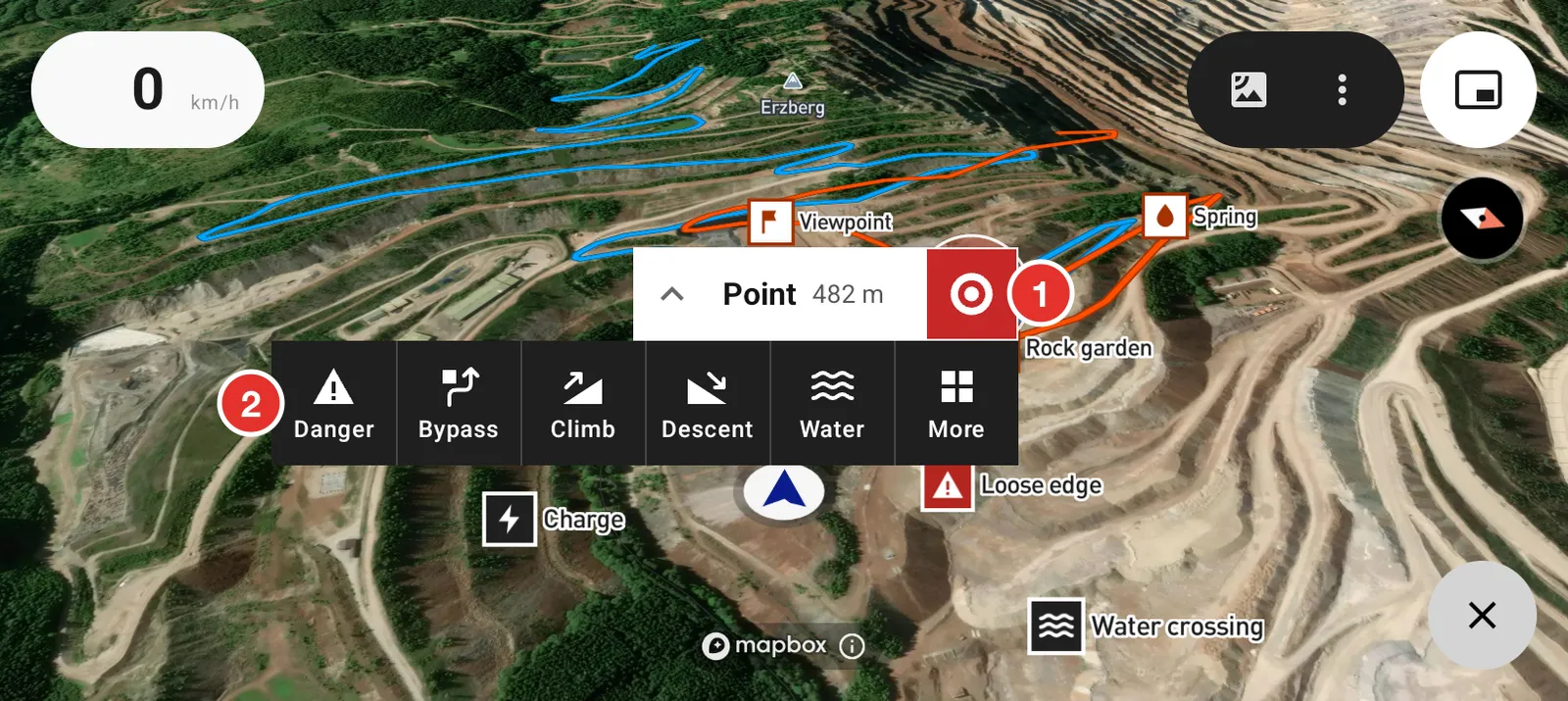
- A point and its distance from you.
- Tap an icon to save the waypoint. Tap More for every icon and a name.
Use a waypoint
Tap a waypoint on the map.
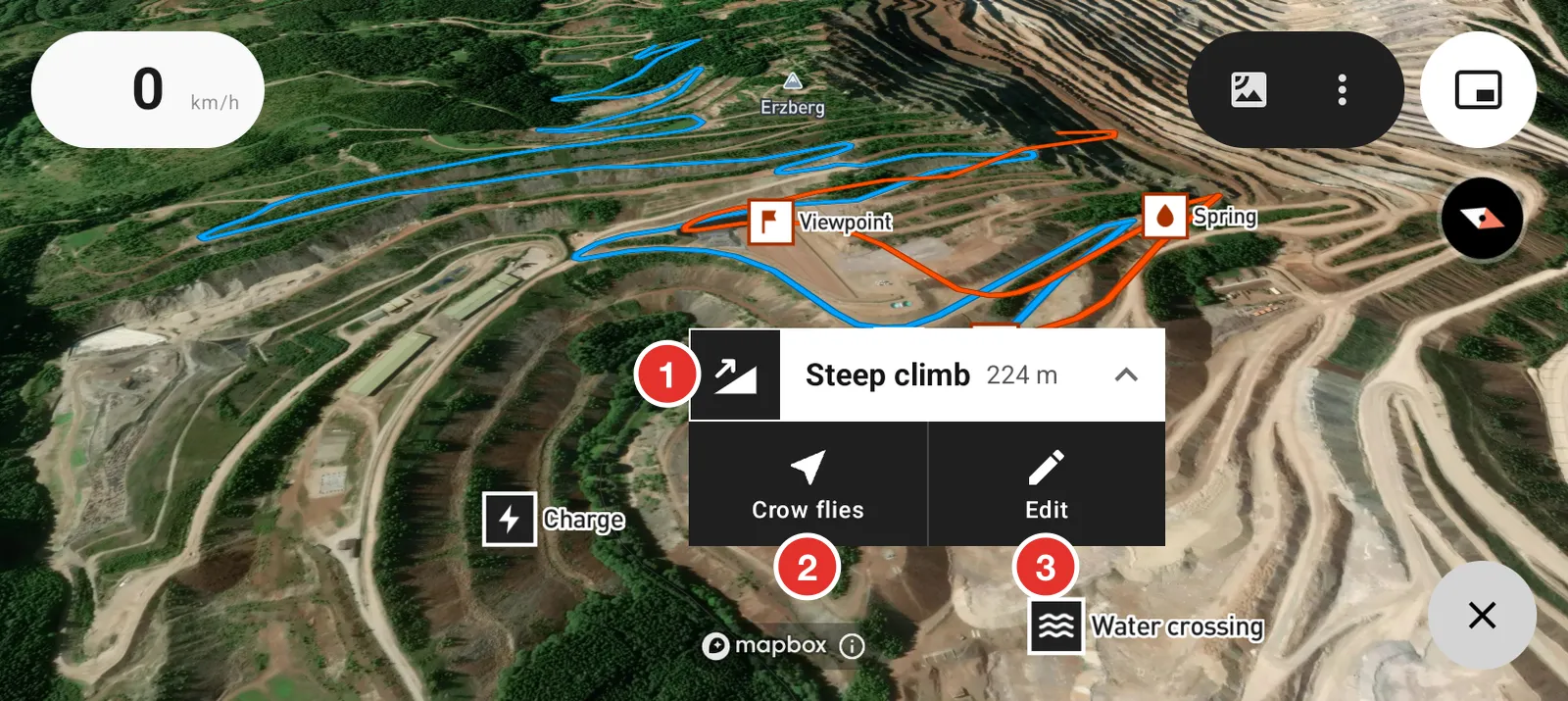
- The waypoint and its distance from you.
- Crow flies draws a straight line from you to it. See As the crow flies.
- Edit changes its name and icon.
Edit or remove a waypoint
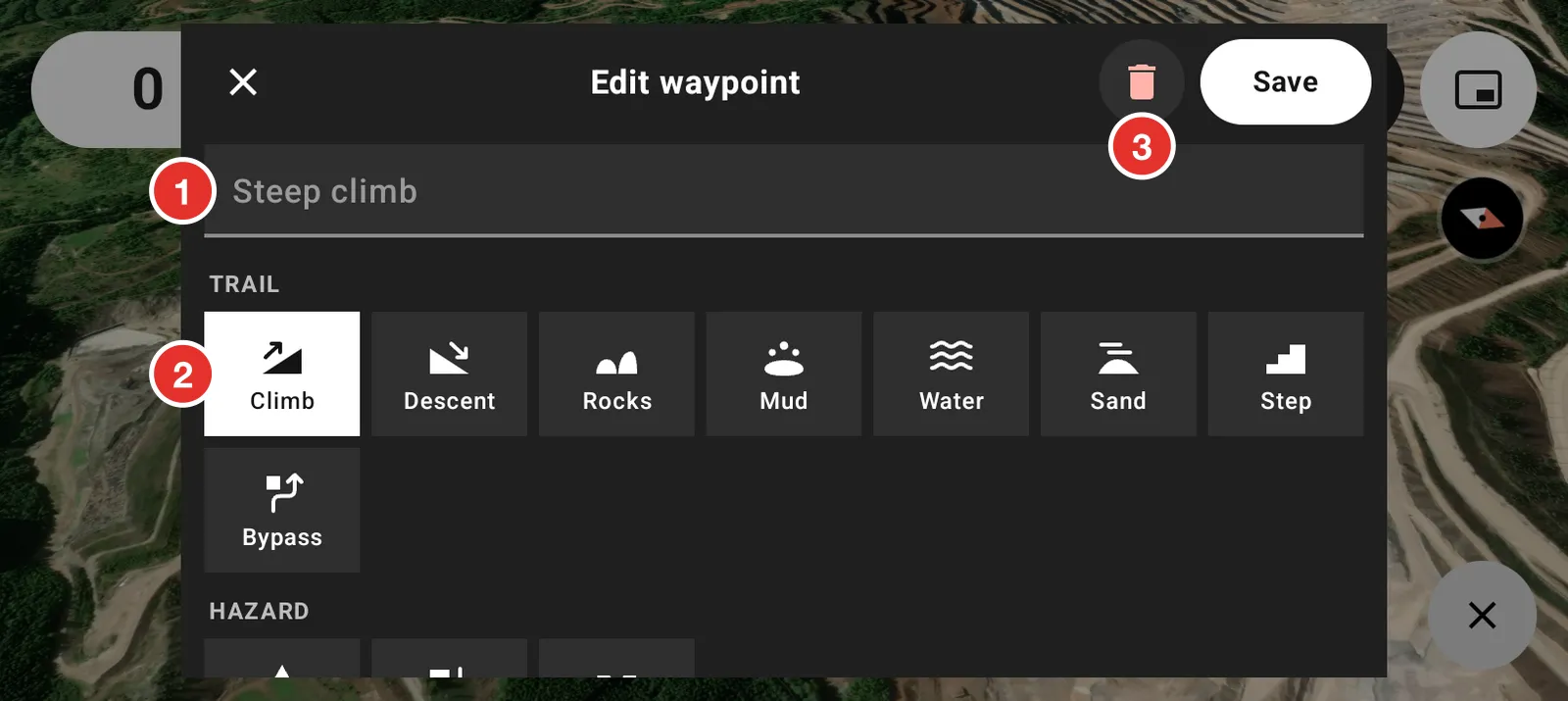
- Type a name, or keep the icon's name.
- Pick a different icon.
- Remove the waypoint.
Waypoints in your GPX files
Waypoints in a GPX file you open show on the map as outline squares in the route's colour. They go away when you hide the route. Tap one for its distance and Crow flies.
Waypoints in your rides
A ride lists the waypoints you marked near it. Save and Share on the ride put them in its GPX file.
Choose what shows and what is saved
Open Settings, then Rides, then the flag button at the top right.
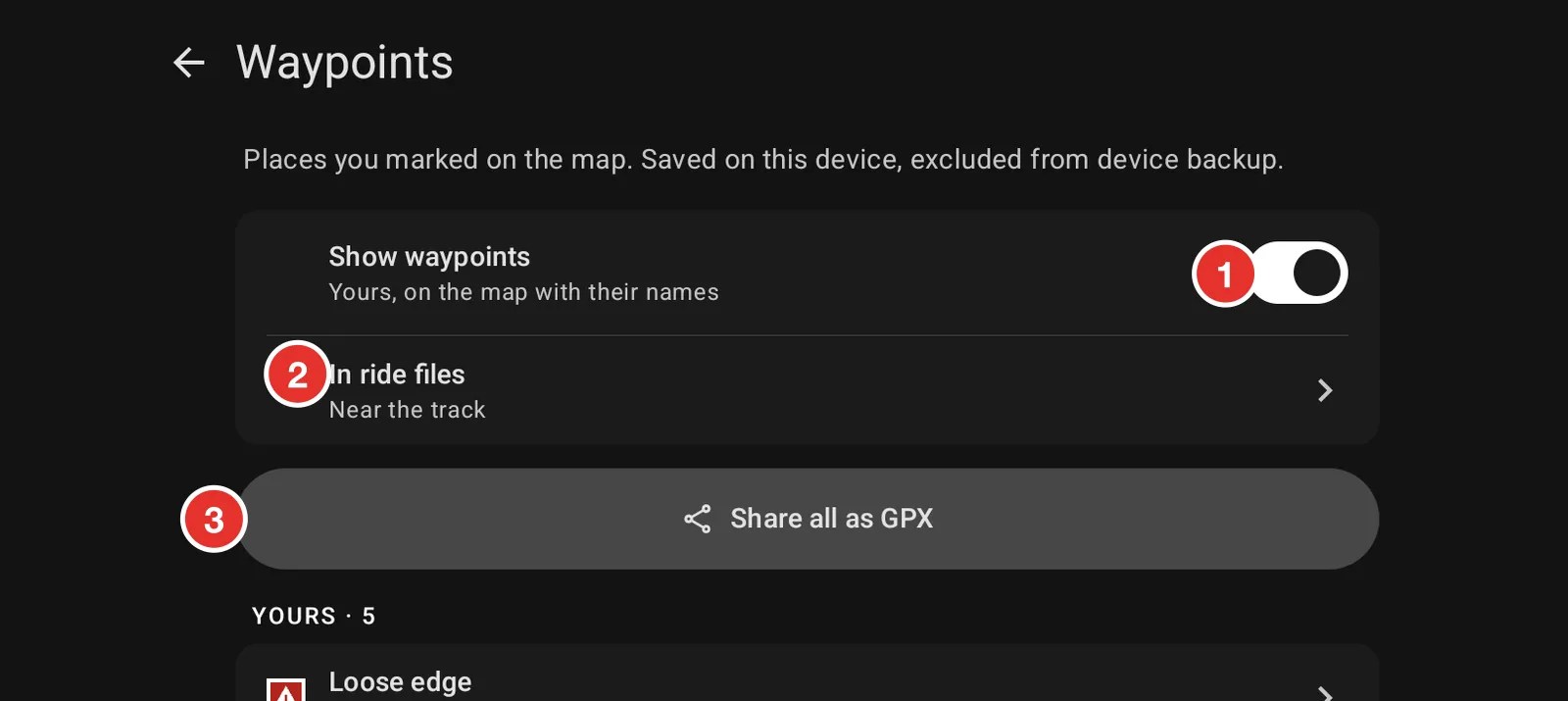
- Show waypoints shows your waypoints and their names on the map.
- In ride files sets which of your waypoints go in a ride's GPX file.
- Share all as GPX sends all your waypoints in one file.
Your waypoints are kept on this phone and are not part of the device backup.