
Open a route
A GPX file holds the shape of a trail. Head North reads that file and draws the trail on the map. It does not create routes, so you bring one with you.
This page takes one file from wherever it lives and puts it on the map.
Get a GPX file
Any route planner will do. These all export GPX: Garmin Connect, onX Offroad, Gaia GPS, Komoot, Wikiloc and gpx.studio.
If you have never made one, read how to create a GPX file first, then come back.
Put the file on the bike screen
The file has to be on the Arkenstone, not on your phone. There are two easy ways and neither needs a computer.
Download it on the bike screen
This is the simplest way, because the file never has to travel.
- On the bike screen, open the browser.
- Go to the site you planned the route on and sign in.
- Download the GPX. It lands in the Downloads folder.
Email it to yourself
Use this when the route came from a friend, or from an app that will not open on the bike screen.
- Send yourself the GPX file as an email attachment.
- On the bike screen, open your mail app and find the message.
- Tap the attachment, then tap Download or Save. It lands in the Downloads folder.
Keep your routes together. In the Downloads folder, make one folder called Routes and put every GPX in it. Finding a file later takes seconds instead of scrolling past everything you have ever downloaded.
Open the file
Open Head North. The folder button sits in the bottom right corner of the map.
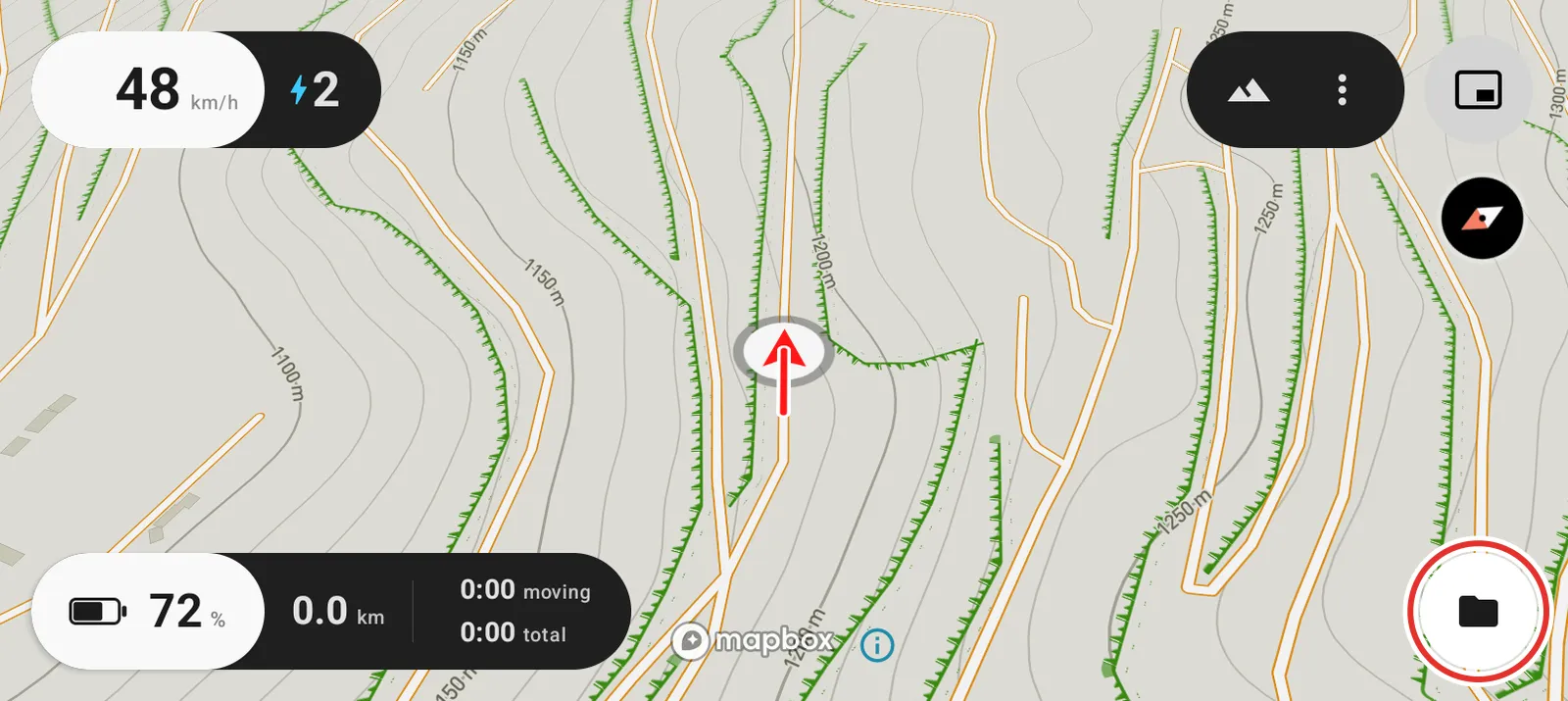
Tap it. The bike screen's own file browser opens. This is part of Android, not part of Head North, so it looks a little different from the rest of the app.
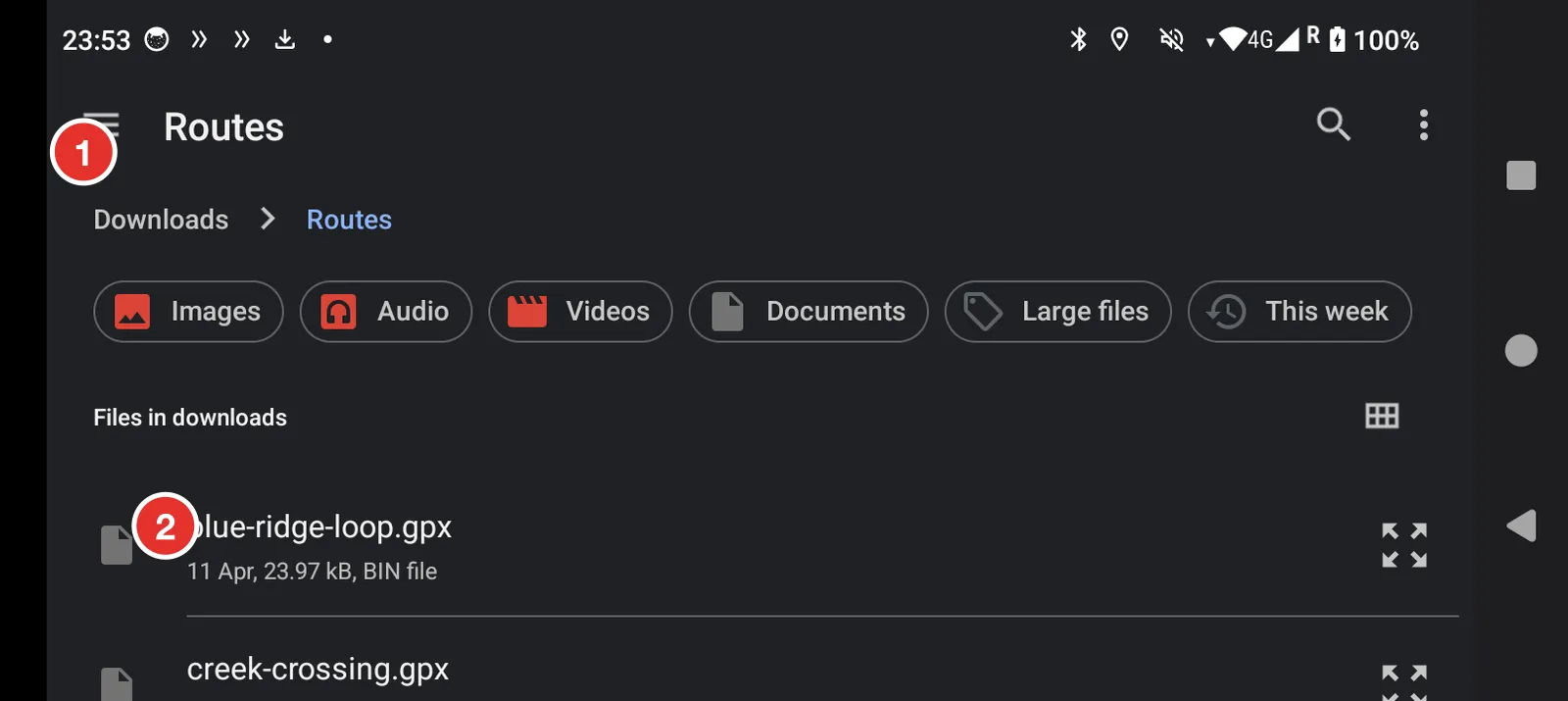
- Tap the three lines to change folder. Choose Downloads if the browser opened somewhere else.
- Tap your GPX file once. One tap picks it and returns you to the map.
What you see
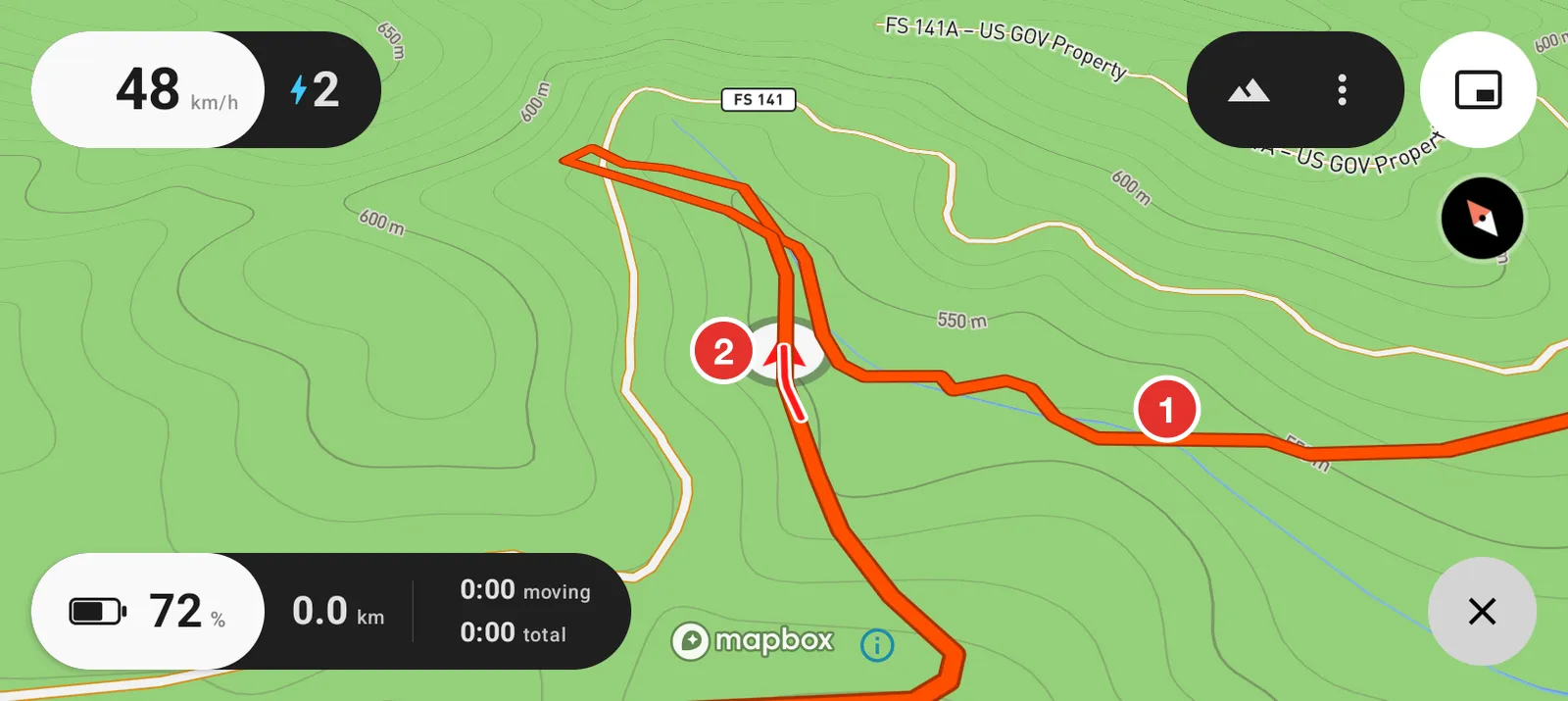
- Your route, drawn as a coloured line.
- You, drawn as an arrow. The arrow points the way you are facing.
The route stays loaded. Switch the bike off, ride again next weekend, and it is still there.
Remove a route
Tap the button in the bottom right corner again. It is now a cross. That clears the routes and gives you the folder button back.
You are not limited to one route. See open multiple routes for opening several at once.