
Charge estimate
Plug the bike in and Head North counts down to your charge limit.
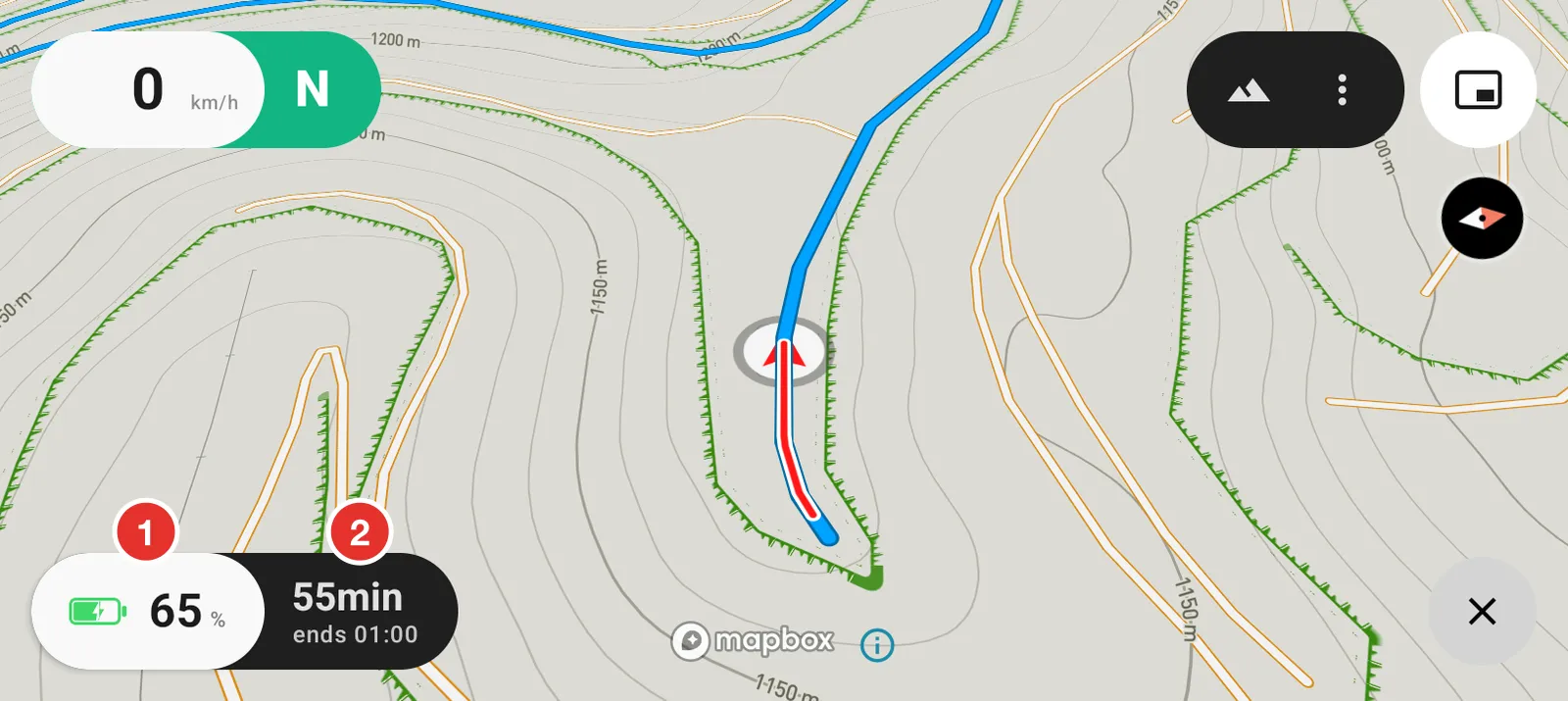
- Where the battery is now. The bolt says the bike is on the charger.
- How long until it reaches your limit, and the clock time it gets there.
The countdown only runs while the bike is actually charging. The rest of the time there is nothing to count.
Read it from a distance
Shrink the map into Picture in Picture while it charges and the countdown takes the whole window.
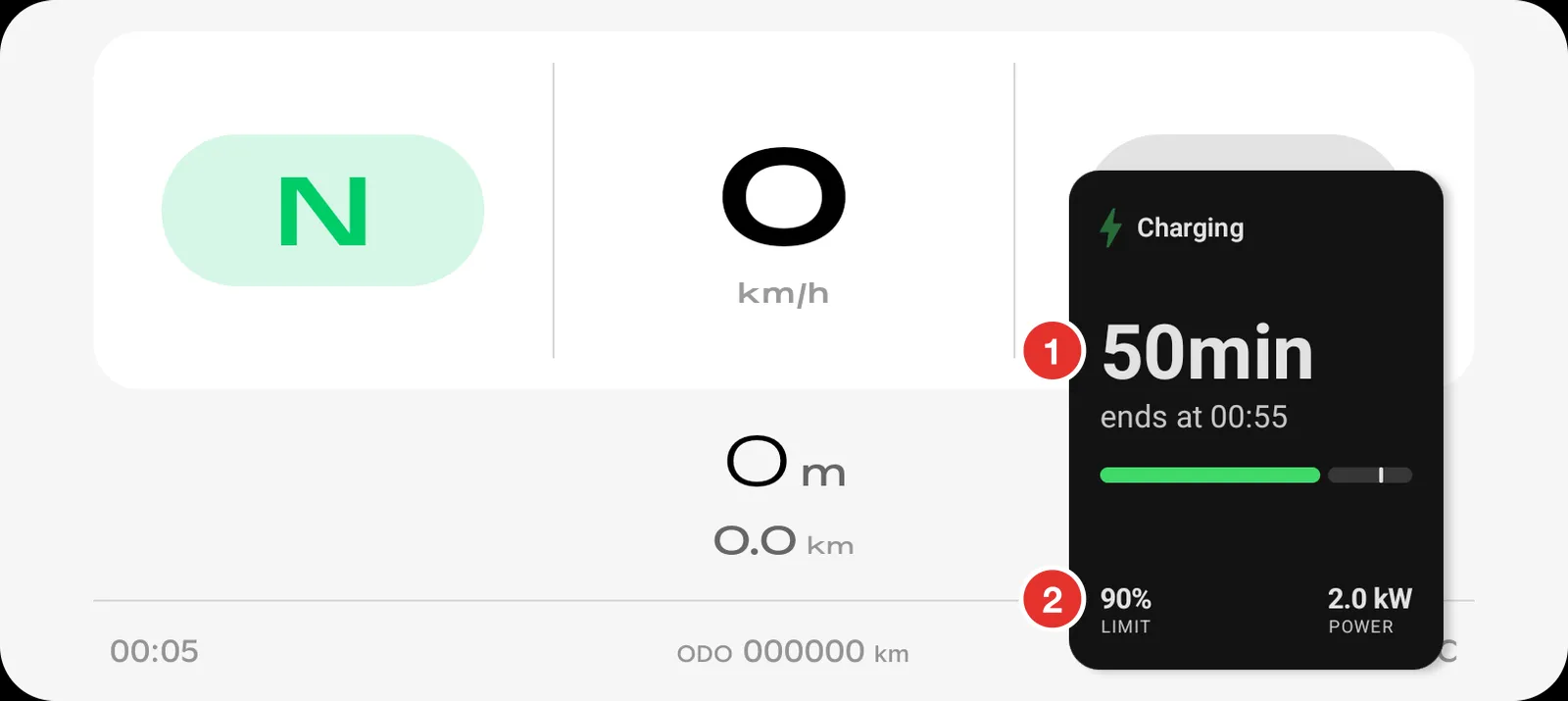
- The time left, and the clock time the charge finishes.
- The limit and the rate, both read from the bike.
Leave the bike screen like this and you can read it from the other side of the paddock.
Turn it on
Open Settings, tap your bike's card, then Charge estimate.
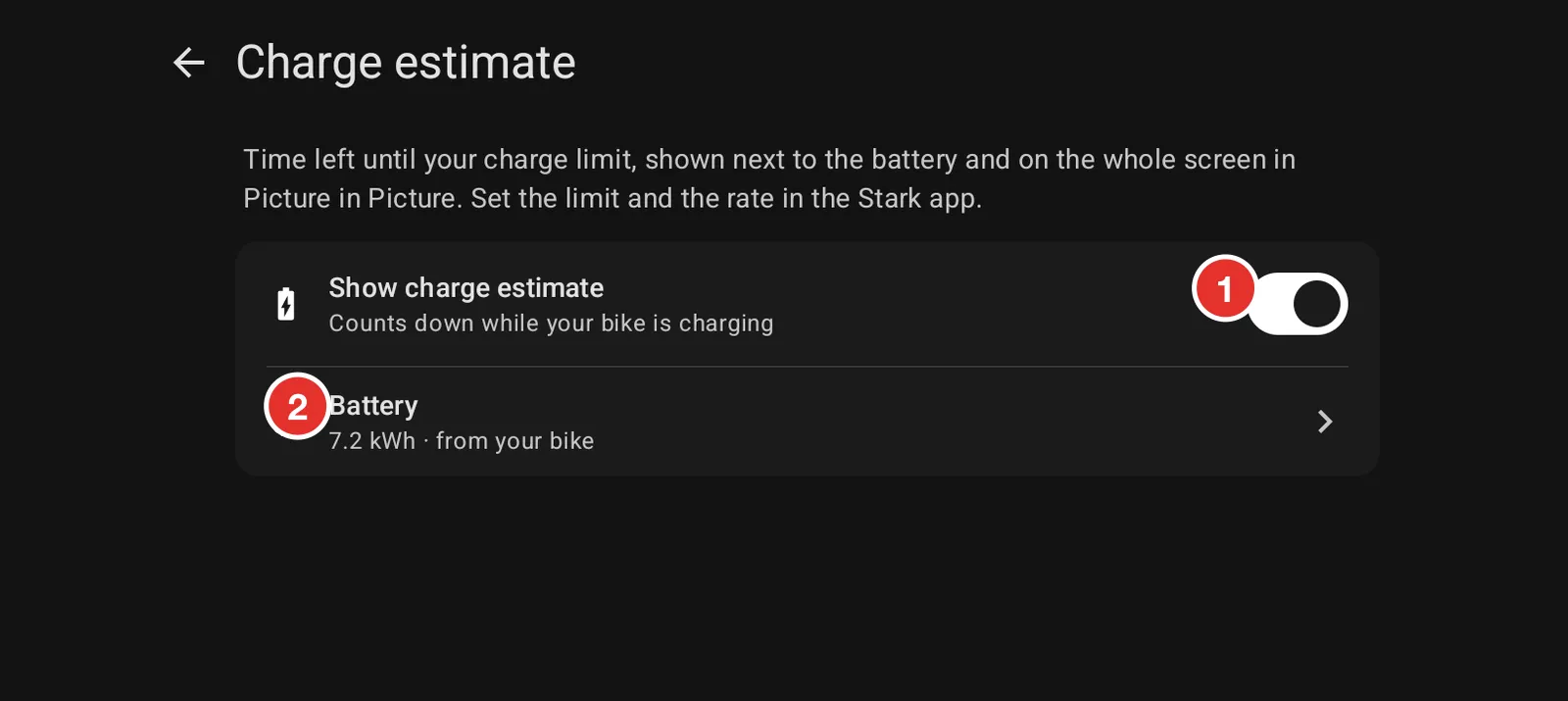
- Show charge estimate turns the countdown on and off.
- Battery is the pack size the sum uses, read from your bike.
Where the numbers come from
The limit and the rate are yours, and you set them in the Stark app. Head North reads them and does the arithmetic; it does not change anything on the bike.
The battery size comes from the bike as well. You can see it on this screen and on Your bike. If the estimate looks wrong, check that first.
The estimate is an estimate. Charging slows down near the top, and a cold pack behaves differently from a warm one, so treat the last few minutes as a guide.