
Features
Open multiple routes
One route is enough for one ride. A weekend away is easier with the whole area on the map at once.
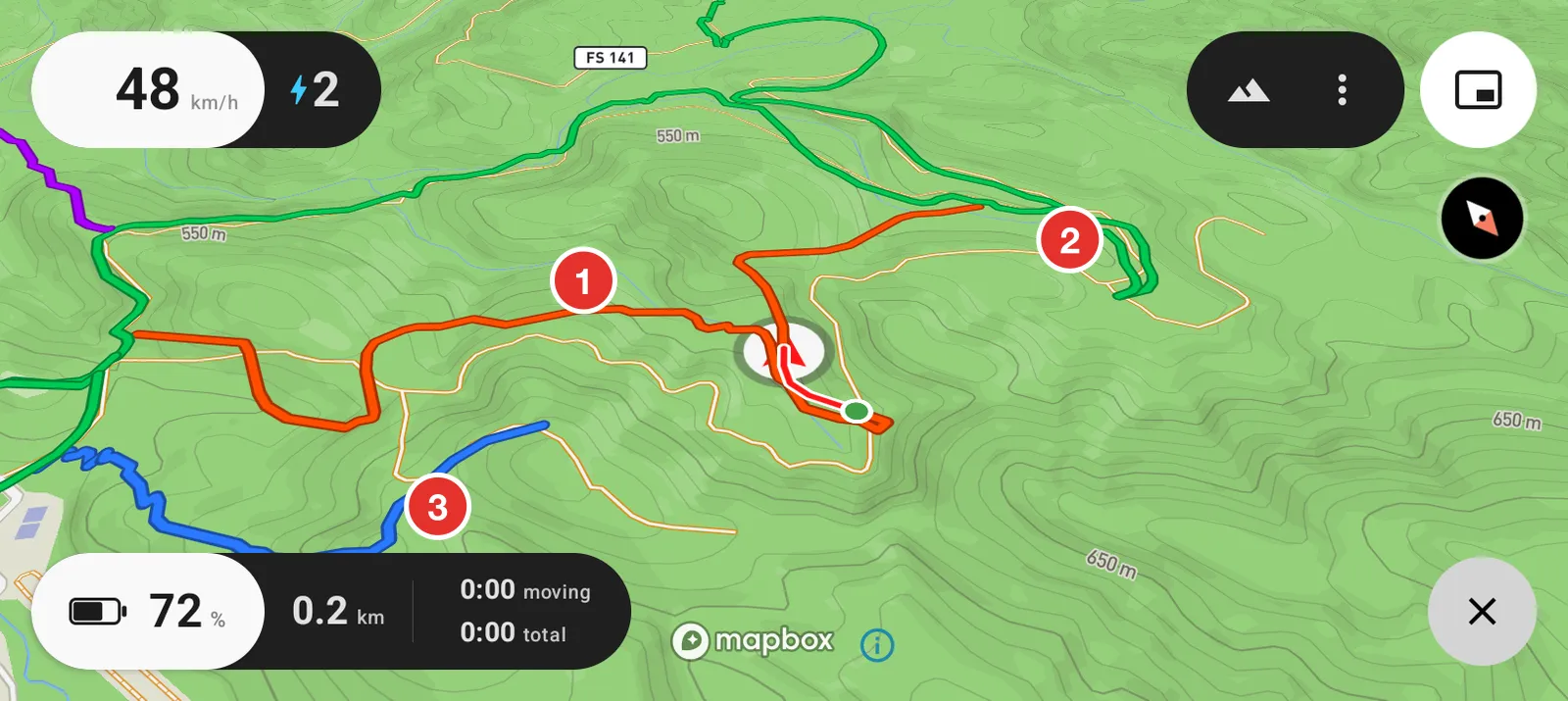
- The route you are on.
- A second route, in its own colour.
- A third. Head North gives every route a colour of its own, which is what lets you follow one line through a junction where three of them cross.
Open several files at once
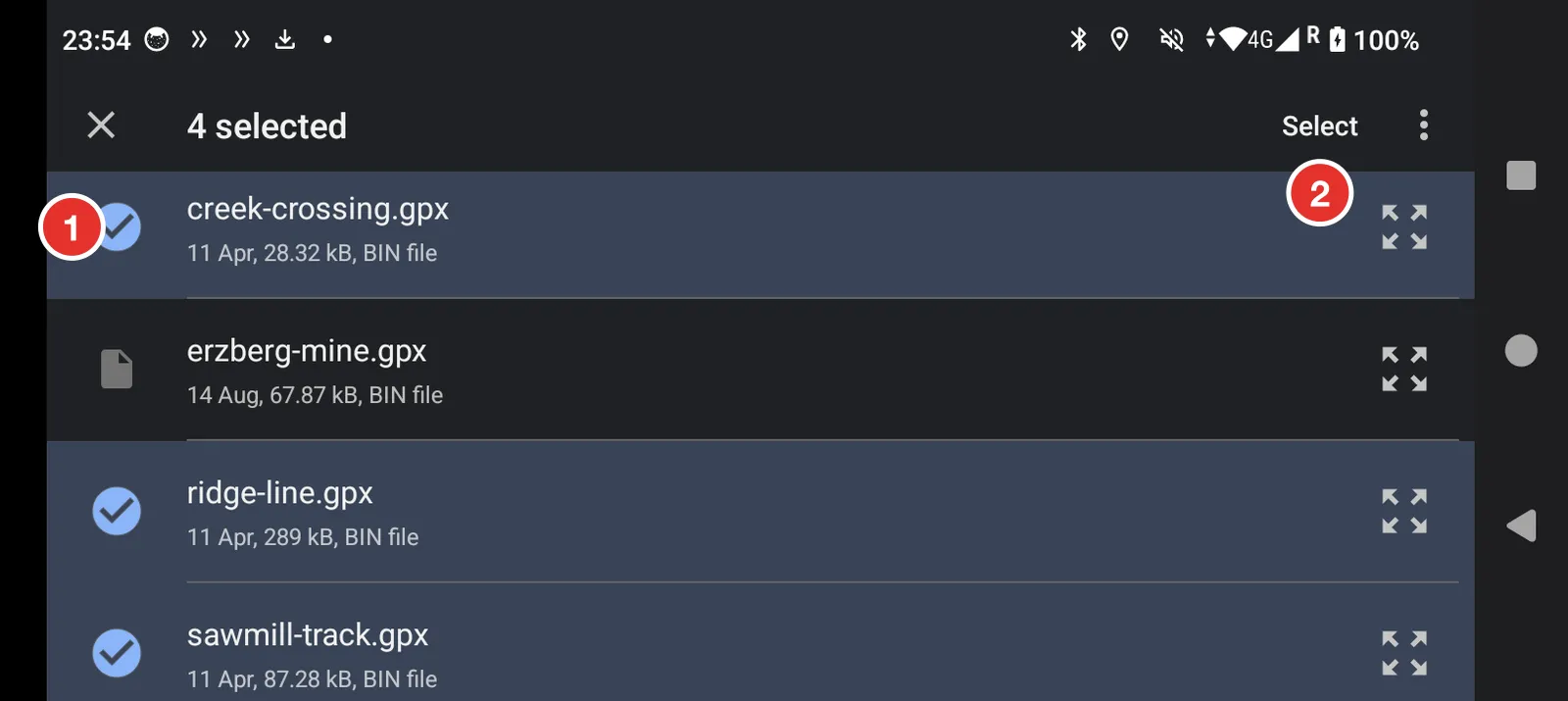
- Hold your finger on the first file until it ticks. Every file you tap after that is added.
- Tap Select when you have picked them all.
A single GPX file can hold many tracks inside it. Those are treated the same way: one colour each, all drawn together.
Waypoints
If the file has waypoints, they appear as marks on the map. Route planners use them for turns, gates, fuel stops and meeting points. Head North shows them where the file puts them; it does not add or move any.
Remove the routes
Routes stay loaded until you remove them, across restarts and across days.
Tap the button in the bottom right corner of the map, the one that is now a cross. That clears the routes and gives you the folder button back.